• About Us
    • Our Staff
    • Our Academy Family
    • School Prospectus
    • Governors
    • Privacy Notices
    • FOI Publication
    • Ofsted
    • Accredited Awards
  • Church Links
    • SIAMS Report
    • Diocese
    • Prayers
    • Spirituality
    • Collective Worship
    • Parish Links
    • British Values
    • WOW
  • Statutory
    • Curriculum >
      • Overview
      • Reading
      • Writing
      • Maths
      • Computing
      • History
      • Geography
      • Science
      • R.E.
      • P.E.
      • French
      • Art/DT
      • PSHE
      • Music
    • Admissions
    • Policies
    • Pupil Premium
    • Sports Premium
    • SEND School Offer
    • SEND Remote Learning Offer
    • KS2 Results
    • Financial Details
    • Travel Plan
  • Parents
    • Newsletter >
      • Letters
    • School Information >
      • Clubs
      • FOHS
      • School Meals
      • Reception 2026
      • School Representatives
      • School Events
    • Class pages >
      • Reception
      • Class 1
      • Class 2
      • Class 3
      • Class 4
      • Class 5
      • Class 6
    • Term Dates / Calendar
    • Nursery
    • WAC
    • Diversity and Inclusion
    • Safeguarding
    • SEND Info
    • Mental Health and Well-Being
  • Contact
    • Contact
    • Opportunities
Horndon on the Hill Primary
  • About Us
    • Our Staff
    • Our Academy Family
    • School Prospectus
    • Governors
    • Privacy Notices
    • FOI Publication
    • Ofsted
    • Accredited Awards
  • Church Links
    • SIAMS Report
    • Diocese
    • Prayers
    • Spirituality
    • Collective Worship
    • Parish Links
    • British Values
    • WOW
  • Statutory
    • Curriculum >
      • Overview
      • Reading
      • Writing
      • Maths
      • Computing
      • History
      • Geography
      • Science
      • R.E.
      • P.E.
      • French
      • Art/DT
      • PSHE
      • Music
    • Admissions
    • Policies
    • Pupil Premium
    • Sports Premium
    • SEND School Offer
    • SEND Remote Learning Offer
    • KS2 Results
    • Financial Details
    • Travel Plan
  • Parents
    • Newsletter >
      • Letters
    • School Information >
      • Clubs
      • FOHS
      • School Meals
      • Reception 2026
      • School Representatives
      • School Events
    • Class pages >
      • Reception
      • Class 1
      • Class 2
      • Class 3
      • Class 4
      • Class 5
      • Class 6
    • Term Dates / Calendar
    • Nursery
    • WAC
    • Diversity and Inclusion
    • Safeguarding
    • SEND Info
    • Mental Health and Well-Being
  • Contact
    • Contact
    • Opportunities

Safeguarding

The pupils in Horndon on the Hill Church of England Primary School will always be listened to and their concerns and worries taken seriously.  Staff are trained to be constantly and consistently vigilant of any changes in the children's behaviour that might indicate that there is an issue.  The staff are also challenged never to ignore a child and to always listen to them.
​The ‘Clever Never Goes’ programme has been developed to replace the out-dated ‘stranger danger’ approach. Research shows that teaching children simply to avoid strangers fails to keep them safe. Strangers are often more likely to help a child than to harm them. Conversely, it can often be people known to children that pose the greatest threat.
 
‘Clever Never Goes’ moves the focus away from strangers and instead teaches children to recognise when someone (whether they are known to the child or not) is trying to persuade them to go with them. The programme is designed to be fun and positive, whilst at the same time delivering a serious message and giving children practical safety skills and confidence to engage with the outside world.
 
In addition to the schools lesson you too can help your child to understand the Clever Never Goes message. You can download (free of charge) a Clever Never Goes home pack at the website www.clevernevergoes.org/parents. The home pack contains some great ideas for how to approach this topic with your children as well as games and activities. On the website, you can also see a series of cartoon sketches which are a good way of reinforcing the Clever Never Goes message and checking that your child has understand the key Clever Never Goes message. Please do make use of these resources.  
Clever Never Goes Power Point - KS1
Clever Never Goes Power Point - KS2
​PARENT/CARER FACTSHEET

Virtual private networks (VPNs)
What is a VPN?
A VPN is an app or program that lets someone connect to the internet through a special private connection, sometimes known as a ‘tunnel’. It hides their location and can make them harder to identify online. This usually makes their online activity more private.
VPNs are often used by businesses but can also be used for things like getting around geographical limits (like watching streaming services’ content in another country).
Since the Online Safety Act 2023 introduced age restrictions on adult content, social media sites and other sites/apps that might cause harm, there’s been an increase in downloads for VPN apps and programs. VPNs can help someone bypass these restrictions and blockers.
You can get VPNs in the form of:
   Downloadable apps from the Apple App store and Android Google Play store
   Plugins/extensions for web browsers (e.g. Google Chrome, Microsoft Edge)
   Desktop apps/programs on your computer
This means your child could use VPNs on their computer, laptop, tablet or smartphone.
Many VPN services require a one-off or monthly payment, but there are a lot of free VPNs, too – see below for the risks around using a free VPN.
What are the risks?
Your child might use a VPN to access adult and/or harmful content by bypassing the age gates. They can use the VPN to change their location to another country with no or fewer restrictions and access content that might be harmful to them, like pornography or social media sites.
Some VPNs (especially free VPNs) might also collect information about your child’s browsing history and sell the data. These VPNs might:
  Track your child’s browsing history
  Sell your child’s data
  Contain malicious software that could reveal their device and personal information to someone who shouldn’t have it
How to spot if your child is using a VPN
This isn’t always easy to do, but you can:
   Keep an eye on your child’s download history on their computer, phone or tablet. Look out for any apps or programs you don’t recognise and look them up to see what they are. See below for instructions on how to do this:
·    Google Chrome (computer/laptop) – type ‘chrome://downloads’ into your address bar
·    Microsoft Edge (computer/laptop)
·    Mozilla Firefox (computer/laptop)
·    Safari (computer/laptop) – open ‘Finder’, select ‘Go’ and then ‘Downloads’
·    Apple app store (iPhone/iPad)
·    Google Play Store (Android smartphone/tablet)
   Look out for secretive behaviour, especially if your child is hiding their device’s screen from you or keeping the entire device hidden from you
   Where possible, look at the adverts that pop up on your child’s device. If they’re using a VPN to pretend to be in another country, adverts might show foreign currencies or languages
   Pay attention to their phone’s display, especially for key or shield icons in the top corners (usually next to the Wi-Fi, mobile data, or battery symbols) – this can indicate that a VPN is active
What can we do at home?
We will talk to pupils about harmful material online in school, but this is more effective if you speak to them about it at home, too:
   Have an open, zero-judgement conversation with your child about what they do online
   If they are using a VPN, explain to your child why certain content is restricted and the dangers of using a VPN to access it (see ‘What are the risks?’ above)
   Set clear rules with your child about the apps they can use and the sites they can go on
   If you’re planning on giving your child a smartphone, tablet or laptop, consider setting up parental controls so you can monitor and limit their activity. See how to do this on:
·    Apple (iPhone/iPad)
·    Android (restricts downloads on Google Play)
·    Windows (computer/laptop)
·    Mac (computer/laptop)
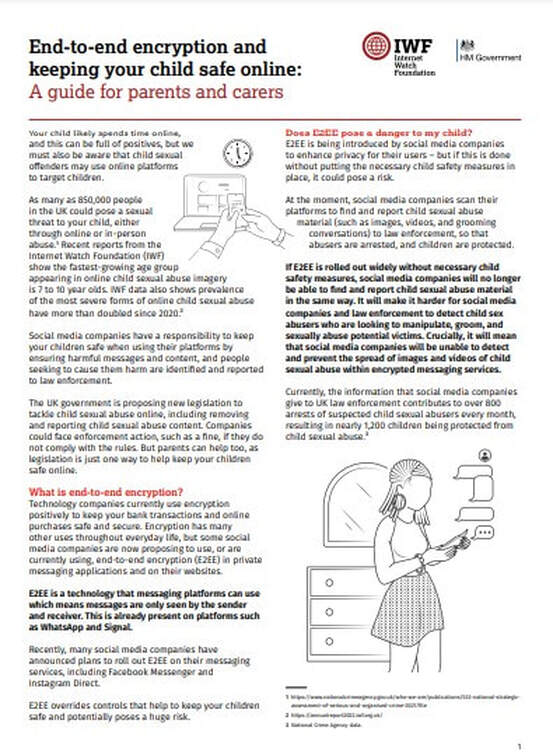
Picture
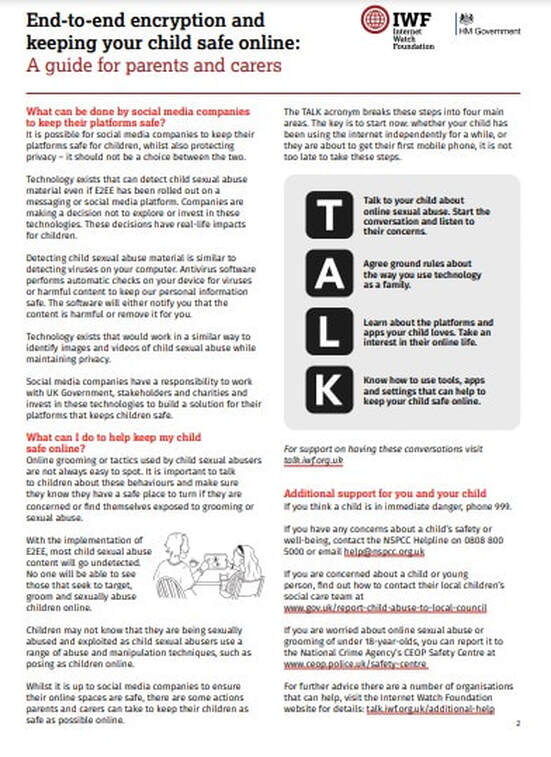
Picture
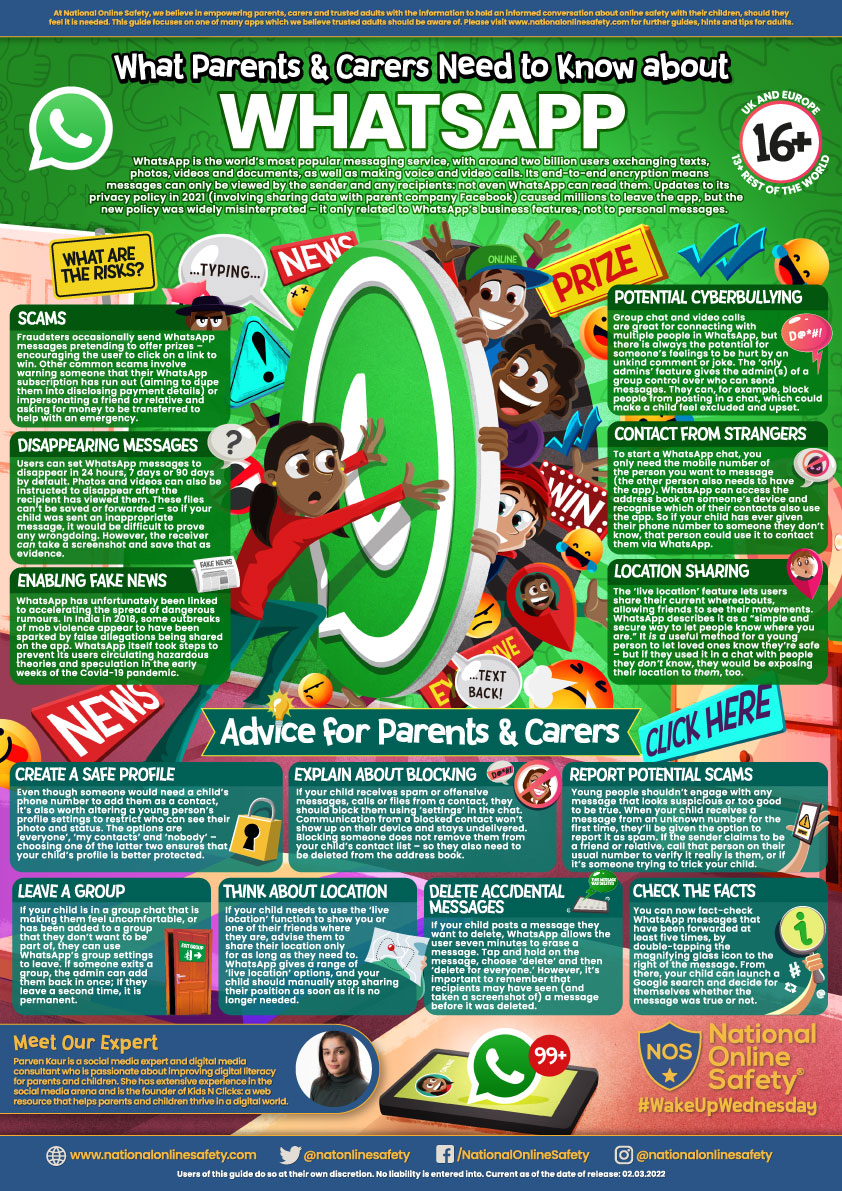
Picture
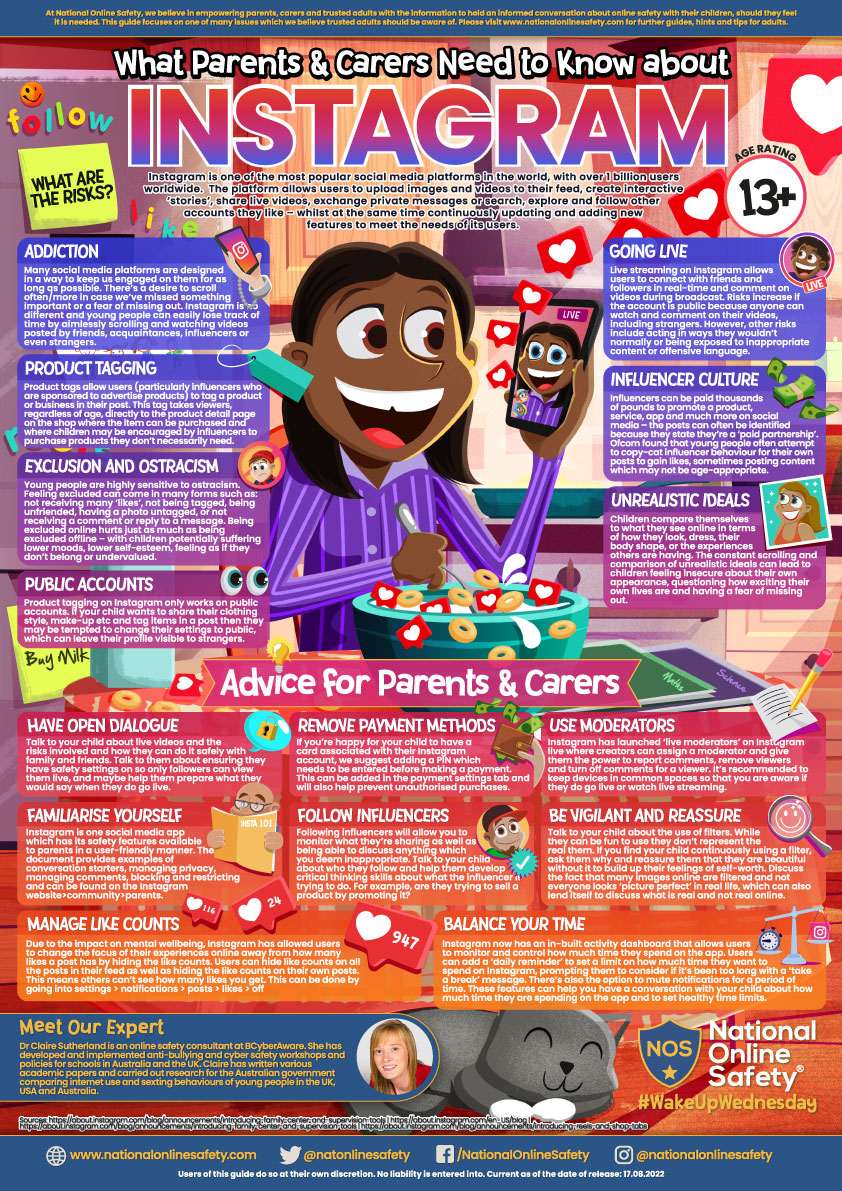
Picture
Picture
Picture
Picture
Picture
As part of our Anti-bullying work, each class was asked to make a video.
Our Safeguarding Ambassadors viewed all of the videos presented and decided that this 'entry' from Reception class was the winning video. 
We hope you agree that our Reception children know all about differences and how we celebrate them.

Picture

HORNDON-ON-THE-HILL CHURCH OF ENGLAND
​PRIMARY SCHOOL​​


Hillcrest Road, Horndon-on-the-Hill, Essex, SS17 8LR
Telephone 01375 673260
​[email protected]s
Picture
Picture
Picture
Picture
A proud partner in the
​Osborne Co-operative Academy Trust
  
  • About Us
    • Our Staff
    • Our Academy Family
    • School Prospectus
    • Governors
    • Privacy Notices
    • FOI Publication
    • Ofsted
    • Accredited Awards
  • Church Links
    • SIAMS Report
    • Diocese
    • Prayers
    • Spirituality
    • Collective Worship
    • Parish Links
    • British Values
    • WOW
  • Statutory
    • Curriculum >
      • Overview
      • Reading
      • Writing
      • Maths
      • Computing
      • History
      • Geography
      • Science
      • R.E.
      • P.E.
      • French
      • Art/DT
      • PSHE
      • Music
    • Admissions
    • Policies
    • Pupil Premium
    • Sports Premium
    • SEND School Offer
    • SEND Remote Learning Offer
    • KS2 Results
    • Financial Details
    • Travel Plan
  • Parents
    • Newsletter >
      • Letters
    • School Information >
      • Clubs
      • FOHS
      • School Meals
      • Reception 2026
      • School Representatives
      • School Events
    • Class pages >
      • Reception
      • Class 1
      • Class 2
      • Class 3
      • Class 4
      • Class 5
      • Class 6
    • Term Dates / Calendar
    • Nursery
    • WAC
    • Diversity and Inclusion
    • Safeguarding
    • SEND Info
    • Mental Health and Well-Being
  • Contact
    • Contact
    • Opportunities